
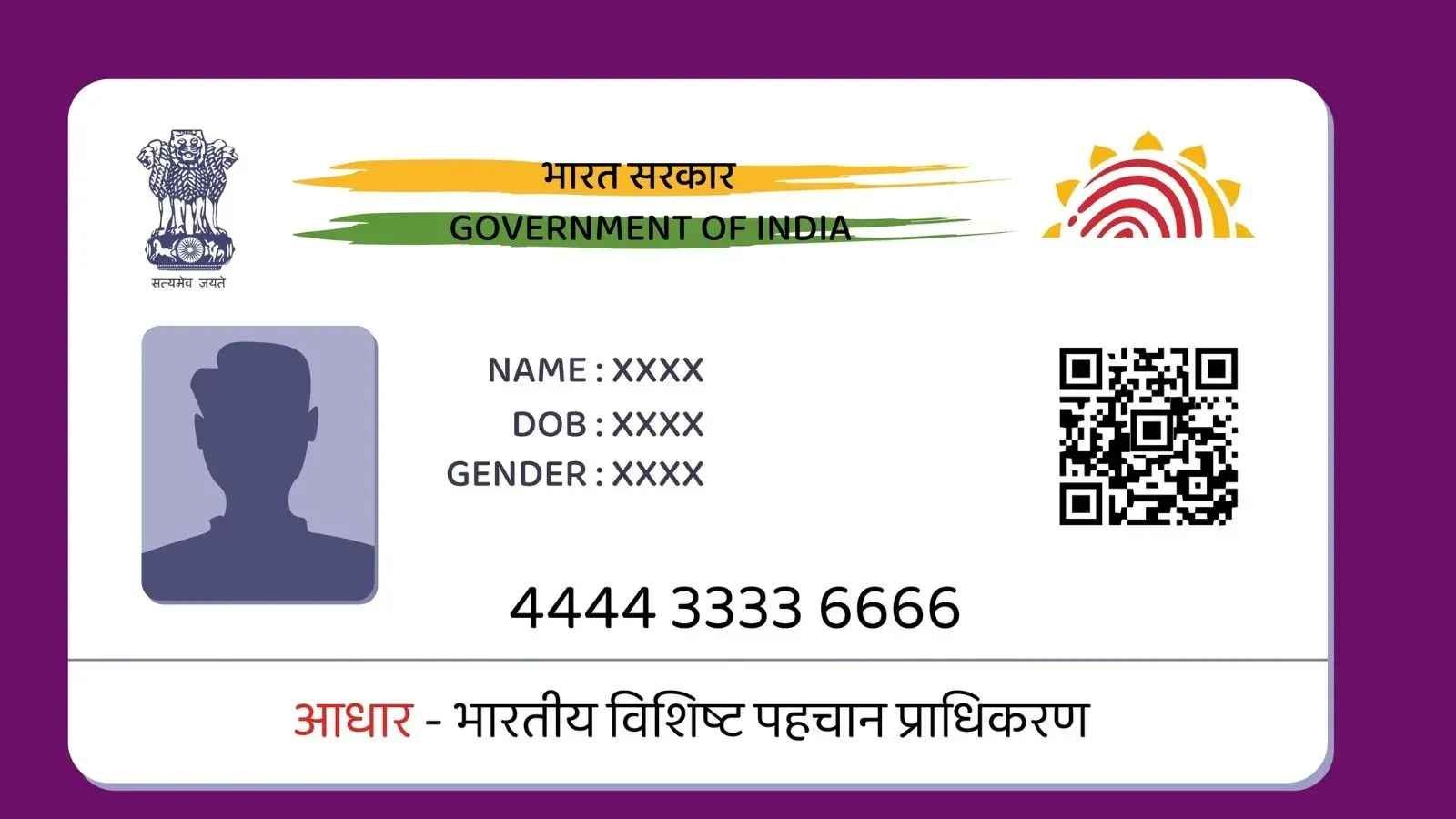
The Aadhaar Card, introduced by the Government of India, has become an essential document for every Indian resident. It serves as proof of identity and address, linking your biometric and demographic data. Whether it’s for government schemes, financial transactions, or documentation purposes, the Aadhaar Card is a must-have. In this article, we will provide a comprehensive guide to Aadhaar Card Download Online, ensuring you can access your e-Aadhaar seamlessly, securely, and without hassles. We’ll also touch upon how to update key details like the date of birth on your Aadhaar card for continued accuracy.
Why Download Aadhaar Card Online?
The ability to download your Aadhaar Card online provides convenience and flexibility. The e-Aadhaar card is equivalent to the physical copy of your Aadhaar Card and is digitally signed by the Unique Identification Authority of India (UIDAI); this makes it legally valid across the country. Additionally, downloading Aadhaar online is an eco-friendly approach, helping reduce unnecessary paperwork.
Some benefits of downloading Aadhaar Online include:
- Ease of access anytime, anywhere
- Instant availability without waiting for physical deliveries
- Secure methods provided by UIDAI
- Use for government schemes, banking, and other personal identification needs
Pre-Requisites for Aadhaar Card Download Online
Before diving into the process, ensure you meet the following requirements:
- Aadhaar Number or Enrollment ID (EID): Either your Aadhaar Number or the Enrollment ID received after registering for Aadhaar is required.
- Registered Mobile Number: Ensure your mobile number is linked to your Aadhaar. The OTP necessary for verification is sent to your registered mobile number.
- Internet Accessibility: A stable and secure internet connection is essential for a seamless download experience.
- PDF Reader: A downloaded e-Aadhaar comes as a PDF file. You will need a PDF reader to view it.
Aadhaar Card Download Online: Step-by-Step Guide
To aadhaar card download online, follow these simple steps:
Visit the Official UIDAI Website
Go to https://uidai.gov.in, the official portal of UIDAI. Ensure you access this website only and avoid fraudulent sites to ensure your data security.
Click on Download Aadhaar
Under the My Aadhaar section in the menu bar, click on the Download Aadhaar option. This will redirect you to the Aadhaar download portal.
Provide Aadhaar Details
You’ll be asked to choose one of the following options:
- Aadhaar Number: Enter your unique 12-digit Aadhaar Number.
- Enrollment ID (EID): Use the 28-digit Enrollment ID provided during Aadhaar enrollment.
- VID (Virtual ID): A temporary 16-digit Virtual ID generated for security purposes.
Enter the preferred ID, along with the required CAPTCHA code for verification.
Request OTP Verification
Click on Send OTP or Enter TOTP. The OTP will be sent to your registered mobile number. Alternatively, if you’ve enabled the TOTP feature through the mAadhaar app, you can verify using a Time-Based OTP.
Download e-Aadhaar
Once verified, you’ll be redirected to a download page. Click on the Download button to save the Aadhaar PDF to your device. The downloaded copy is password-protected.
Open the PDF File
To open the downloaded Aadhaar file, enter the password, which is an 8-character code:
- First four characters are your name (in capital letters) as registered with UIDAI.
- Next four characters are your birth year.
Example: Name is Amit Kumar, and birth year is 1990. The password will be AMIT1990.
Your Aadhaar card is now ready for use.
How to Change Aadhaar Card Date of Birth Online?
If the date of birth on your Aadhaar card is incorrect or needs an update, you can change aadhaar card date of birth. Follow these steps for a hassle-free process:
Visit Aadhaar Self-Service Update Portal
Access the official UIDAI website and navigate to the Update Your Aadhaar section. Click on the option for Update Date of Birth.
Log in with Aadhaar Credentials
Enter your Aadhaar number, CAPTCHA code, and request an OTP to log in securely to the update portal.
Select Date of Birth Update
After logging in, choose the Date of Birth Update option. Enter the correct date of birth and proceed to the next step.
Upload Supporting Documents
To validate the date of birth update, upload the necessary proof, such as a birth certificate, passport, SSLC mark sheet, or any government-issued document. Ensure the document aligns with UIDAI’s acceptable list of proofs.
Review and Submit
Double-check all entered details before submitting the update request. You’ll receive an Update Request Number (URN) to track the status of your update request.
Track and Finalize Update
Use the Update Request Number (URN) to check the progress online. Once approved, download the updated Aadhaar Card following the steps outlined above.
Safety and Security Tips for Aadhaar Download and Updates
While the process of downloading the Aadhaar Card online and updating your date of birth is relatively straightforward, it’s essential to follow certain safety measures:
- Use the Official UIDAI Portal: Always use the official UIDAI website for any Aadhaar-related tasks.
- Verify Devices and Connections: Use your own device with a secure Wi-Fi network, and avoid public or shared systems.
- Never Share Your OTP: The OTP sent to your registered mobile is confidential.
- Avoid Shared PDFs: Store your downloaded Aadhaar PDF securely and avoid unnecessary sharing.
- Monitor URN Status Regularly: Track update requests to ensure successful processing.
- Update Registered Mobile Number: Maintain an active mobile number linked to Aadhaar for seamless access.
Common Issues During Aadhaar Card Download Online
When downloading or updating your Aadhaar, some challenges may arise. Here are common issues and their solutions:
- OTP Not Received: Ensure your mobile number is active and linked to your Aadhaar.
- Incorrect CAPTCHA: Recheck the CAPTCHA input and try again.
- PDF Password Issues: Verify the correct 8-character password format.
- Wrong Date of Birth Documents: Submit valid proof to avoid rejection.
For persistent issues, UIDAI customer service is available via toll-free numbers and email.
Conclusion
Downloading the Aadhaar Card online and updating key details like your date of birth has never been easier, thanks to the user-friendly portal provided by UIDAI. Whether you’re accessing your e-Aadhaar or submitting updates, following the outlined process ensures a secure and hassle-free experience. Always prioritize safety when handling your Aadhaar data and use the official UIDAI website for all related purposes.
The Aadhaar system reflects India’s progress toward digital identification. By enabling citizens to download and update Aadhaar cards online, essential services have become more accessible and efficient. Keep your Aadhaar details accurate and updated to enjoy uninterrupted benefits and seamless access to services.